Seamlessly switch between absolute and relative line numbers with a single command. Perfect for developers who need both numbering styles in their workflow.
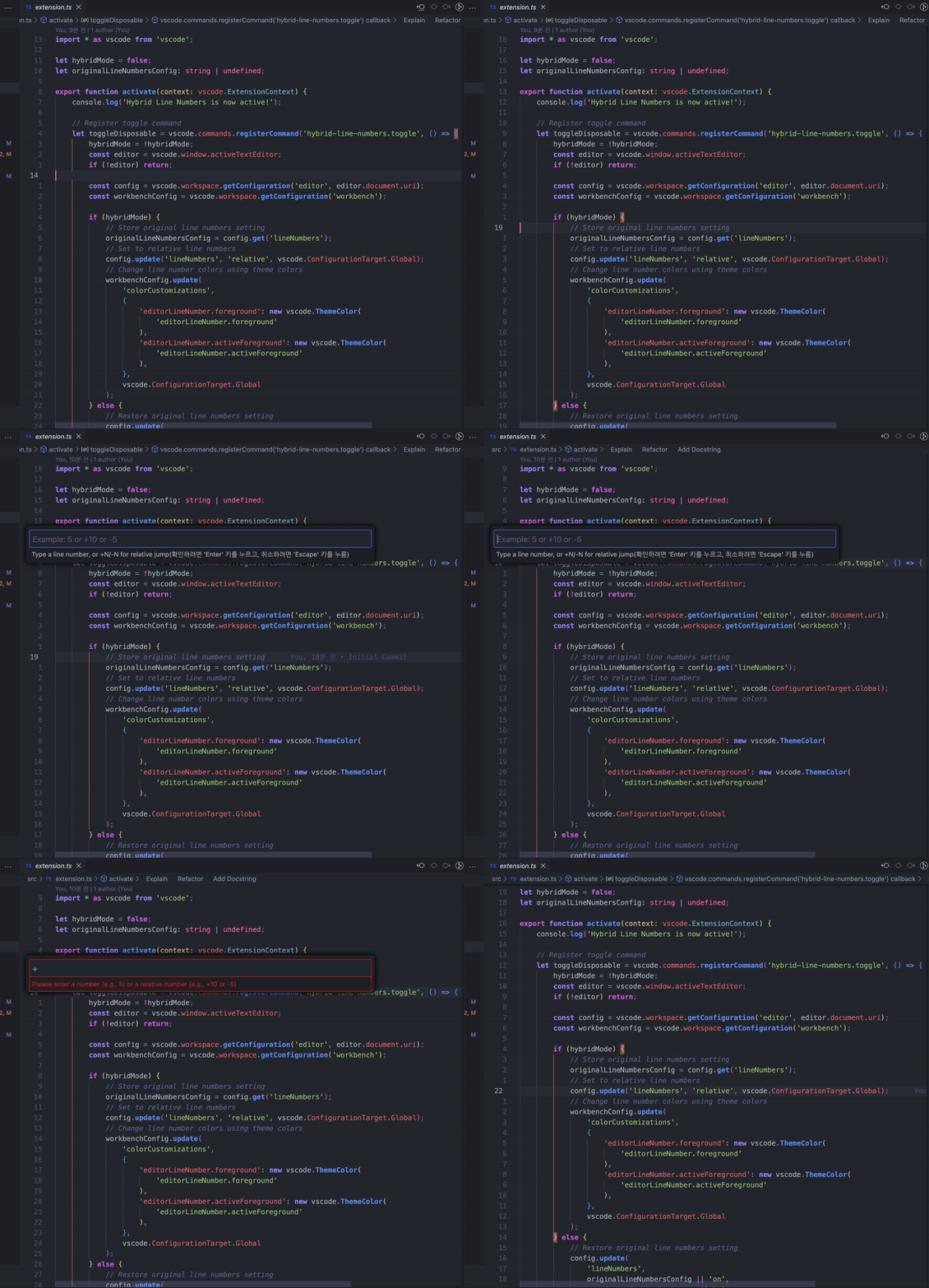
- One-Click Switch: Instantly toggle between absolute and relative line numbers
- Context-Aware: Use absolute numbers when discussing code, relative numbers for quick navigation
- Preserves Settings: Remembers your original line number settings when deactivated
- Jump to any line using absolute or relative numbers
- Use
+Nor-Nfor relative jumps (e.g.,+5to jump 5 lines down) - Perfect complement to relative line numbers for precise navigation
- Press
Cmd/Ctrl + Shift + Pto open the command palette - Type "Toggle Line Numbers Mode" and select the command
- Press
Alt/Option + G(default keybinding) - Type a number for absolute jump (e.g., "15")
- Or type +/- for relative jump (e.g., "+5" or "-3")
- Code Reviews: Use absolute numbers when referencing specific lines in pull requests
- Efficient Navigation: Switch to relative numbers for quick up/down movements
- Best of Both Worlds: No need to choose between absolute and relative - have both at your fingertips
- Open VS Code
- Go to Extensions (Cmd/Ctrl + Shift + X)
- Search for "Hybrid Line Numbers"
- Click Install
This extension contributes the following commands:
hybrid-line-numbers.toggle: Toggle between absolute and relative line numbershybrid-line-numbers.gotoLine: Open enhanced Go to Line dialog
See CHANGELOG.md for detailed release notes.
- File issues at GitHub repository
- Contributions are always welcome!
This extension is licensed under the MIT License.