Brief Review
This project provides a comprehensive LabVIEW-based GUI application for controlling and monitoring SVX9000 electrical equipment. The SVX9000 is an advanced motor control and protection device used in industrial automation applications.
The application communicates with the SVX9000 device using the Modbus protocol (supporting both Ethernet and Serial connections), enabling real-time control of device parameters, frequency settings, and operational modes.


Key Features:
- Real-time device communication via Modbus protocol
- Intuitive GUI for parameter control and monitoring
- Support for both Ethernet and Serial Modbus connections
- Comprehensive device operation management
- Frequency reading and analog/binary control
- Built on National Instruments NI Modbus Library v1.2.1
The application architecture is clean and modular, with clear separation between the user interface layer, core operations, and protocol handling. This design allows for easy maintenance and future enhancements while maintaining robust device communication.
Architecture Overview
The SVX9000-GUI application follows a three-tier architecture pattern:
SVX9000App.vi (Main UI - 124.6 KB)
    ├── SVX9000Basic.vi (Core Operations - 29.7 KB)
    │   └── SVX9000NIModbus.vi (Modbus Interface - 56.2 KB)
    │       ├── SVX9000MB.llb (Custom Modbus - 132.3 KB)
    │       └── SVX9000NIMB.llb (NI Modbus Wrapper - 166.6 KB)
    │           └── ni.lib/NI Modbus.llb (NI Library - 2.3 MB)
Component Responsibilities:
- SVX9000App.vi - Main application entry point with the user interface
- SVX9000Basic.vi - Core device operation functions and business logic
- SVX9000NIModbus.vi - Protocol abstraction layer handling Modbus communication
- SVX9000MB.llb - Custom Modbus implementation (MBInit, MBClose, MBRdFreq, MBWriteAna, MBWriteBin)
- SVX9000NIMB.llb - NI Modbus wrapper providing profile-based interface
Getting Started
- LabVIEW (version 8.6 or compatible, tested up to LabVIEW 11.x)
- NI Modbus Library 1.2.1 (included in this repository)
- Network access to SVX9000 device (default: 172.26.143.145)
-
Install LabVIEW
- Ensure you have LabVIEW 8.6 or later installed on your system
-
Install NI Modbus Library
- Copy
NI Modbus.llbfromnimodbus121/to<LabVIEW>/vi.lib/ - Copy help files from
nimodbus121/help/to<LabVIEW>/help/ - Copy
nimodbus.mnufromnimodbus121/user.lib/to<LabVIEW>/user.lib/
- Copy
-
Open the Project
- Open
SVX9000.lvprojin LabVIEW IDE
- Open
1. Launch LabVIEW
2. Open SVX9000.lvproj
3. Navigate to SVX9000App.vi in the project tree
4. Click "Run" (Ctrl+R) or use the Run button in the toolbar
5. LabVIEW will compile and execute the application directly
Note: LabVIEW compiles and executes VIs natively within the IDE. No external build tools or separate compilation steps are required.
The device IP address is configured in SVX9000.aliases:
- Default IP:
172.26.143.145 - Protocol: Modbus (Ethernet or Serial)
To modify the device IP, edit the aliases file and update the connection settings.
Using The Application
Device Monitoring:
- Real-time frequency reading from SVX9000 device
- Live status updates and parameter monitoring
Device Control:
- Write analog values for device configuration
- Write binary values for operational modes
- Initialize and close device connections
- Modbus communication error handling
1. Launch SVX9000App.vi
2. Configure device IP/connection parameters
3. Initialize connection to SVX9000 device
4. Read current device parameters (frequency, status)
5. Adjust device settings as needed (analog/binary writes)
6. Monitor real-time device responses
7. Close connection when finished
The application uses Modbus protocol for all device communication:
- Supported Modes: Ethernet (TCP/IP) and Serial (RTU/ASCII)
- Data Types: Coils, Discrete Inputs, Holding Registers, Input Registers
- Error Handling: Comprehensive Modbus error detection and reporting
| VI Name | Purpose |
|---|---|
MBInit.vi |
Initialize Modbus connection |
MBClose.vi |
Close Modbus connection |
MBRdFreq.vi |
Read frequency from device |
MBWriteAna.vi |
Write analog values |
MBWriteBin.vi |
Write binary values |
Results
Watch the application in action and see how the SVX9000-GUI communicates with the device in real-time:
Main Demonstration:
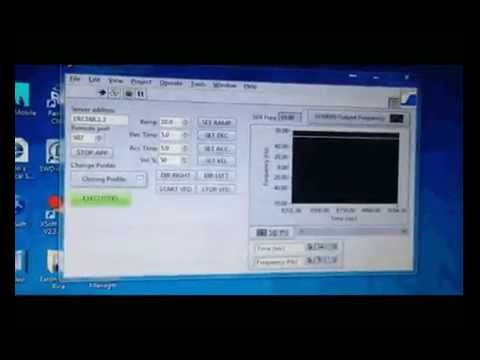
Complete Playlist (Additional Examples & Advanced Usage):
These videos demonstrate:
- Real-time device communication
- Parameter adjustment and monitoring
- Error handling and recovery
- Complete device control workflow
Best Practices
Development in LabVIEW:
- Always save your work before running VIs to ensure changes are persisted
- Use the LabVIEW debugger to troubleshoot VI execution and data flow
- Test VI logic with mock data before connecting to actual hardware
Device Communication:
- Always initialize the Modbus connection before sending commands
- Implement proper error checking for all Modbus read/write operations
- Close connections gracefully using MBClose.vi to release resources
- Test communication with the device at a known, stable IP address
- Log all device communications for troubleshooting purposes
Modbus Protocol:
- Verify device Modbus register mappings before reading/writing
- Use appropriate Modbus function codes for your operation
- Respect device communication timing requirements
- Handle timeout and connection errors gracefully
Project Structure
SVX9000-GUI/
├── LabVIEW SVX9000/
│   ├── SVX9000App.vi              (Main application)
│   ├── SVX9000Basic.vi            (Core operations)
│   ├── SVX9000NIModbus.vi         (Modbus interface)
│   ├── SVX9000MB.llb              (Custom Modbus library)
│   ├── SVX9000NIMB.llb            (NI Modbus wrapper)
│   ├── SVX9000.lvproj             (Project file)
│   ├── SVX9000.lvlps              (Project layout)
│   └── SVX9000.aliases            (Device aliases)
├── nimodbus121/                    (NI Modbus Library distribution)
│   ├── help/                       (API documentation)
│   ├── user.lib/                   (LabVIEW palette configuration)
│   └── vi.lib/                     (Library VIs)
├── doc/
│   └── imgs/                       (Project images)
├── CLAUDE.md                       (Claude Code guidance)
└── README.md                       (This file)
Important Notes
- Binary Format: VIs (.vi) and LLB files (.llb) are LabVIEW binary files, making traditional diff/merge challenging in version control
- Legacy Technology: The project targets LabVIEW 8.x-11.x; consider modernization if targeting newer LabVIEW versions (2020+)
- Hardware Coupling: Application is tightly integrated with SVX9000 device specifications and Modbus protocol
- No Unit Testing: Traditional unit testing frameworks don't apply to LabVIEW GUI applications; use manual testing and simulation
- IP Configuration: Device IP is hardcoded in aliases; modify as needed for your environment
Issues
Currently, no known issues are documented. If you encounter any problems:
- Verify LabVIEW and NI Modbus Library versions
- Check network connectivity to the SVX9000 device
- Review device Modbus configuration and register mappings
- Consult the NI Modbus documentation in
nimodbus121/help/lvmodbus.chm
Future Work
Potential enhancements and expansions:
- Migrate to modern LabVIEW versions (2020+) with improved features
- Add data logging and historical analysis capabilities
- Implement real-time graphing and visualization of device parameters
- Expand support for additional Modbus devices beyond SVX9000
- Create a web-based monitoring interface
- Add automated testing and simulation capabilities
- Implement multi-device concurrent control
Contributing
Your contributions are always welcome! Please feel free to fork and modify the content. When you have improvements or bug fixes:
- Create a feature branch
- Make your changes
- Test thoroughly with the SVX9000 device
- Submit a pull request with a clear description of your changes
We appreciate any contributions that improve the application's functionality, documentation, or compatibility.
📱 Having Problems?








License

This project is licensed under the Creative Commons Attribution-ShareAlike License. See LICENSE file for details.
