fix(code): make markdown preview readable in light mode#2507
Open
kohanyirobert wants to merge 1 commit intonoctalia-dev:mainfrom
Open
fix(code): make markdown preview readable in light mode#2507kohanyirobert wants to merge 1 commit intonoctalia-dev:mainfrom
kohanyirobert wants to merge 1 commit intonoctalia-dev:mainfrom
Conversation


- Resolve theme type from {{mode}} instead of hardcoded "dark" so
  VSCode picks the correct light/dark defaults for unspecified keys.
- Add palette-aware textBlockQuote / textCodeBlock / textPreformat
  colors so markdown preview blocks track the active colorscheme
  instead of falling back to VSCode defaults.
This file contains hidden or bidirectional Unicode text that may be interpreted or compiled differently than what appears below. To review, open the file in an editor that reveals hidden Unicode characters.
Learn more about bidirectional Unicode characters
Sign up for free
to join this conversation on GitHub.
Already have an account?
Sign in to comment
1 participant

Add this suggestion to a batch that can be applied as a single commit.This suggestion is invalid because no changes were made to the code.Suggestions cannot be applied while the pull request is closed.Suggestions cannot be applied while viewing a subset of changes.Only one suggestion per line can be applied in a batch.Add this suggestion to a batch that can be applied as a single commit.Applying suggestions on deleted lines is not supported.You must change the existing code in this line in order to create a valid suggestion.Outdated suggestions cannot be applied.This suggestion has been applied or marked resolved.Suggestions cannot be applied from pending reviews.Suggestions cannot be applied on multi-line comments.Suggestions cannot be applied while the pull request is queued to merge.Suggestion cannot be applied right now. Please check back later.
Motivation
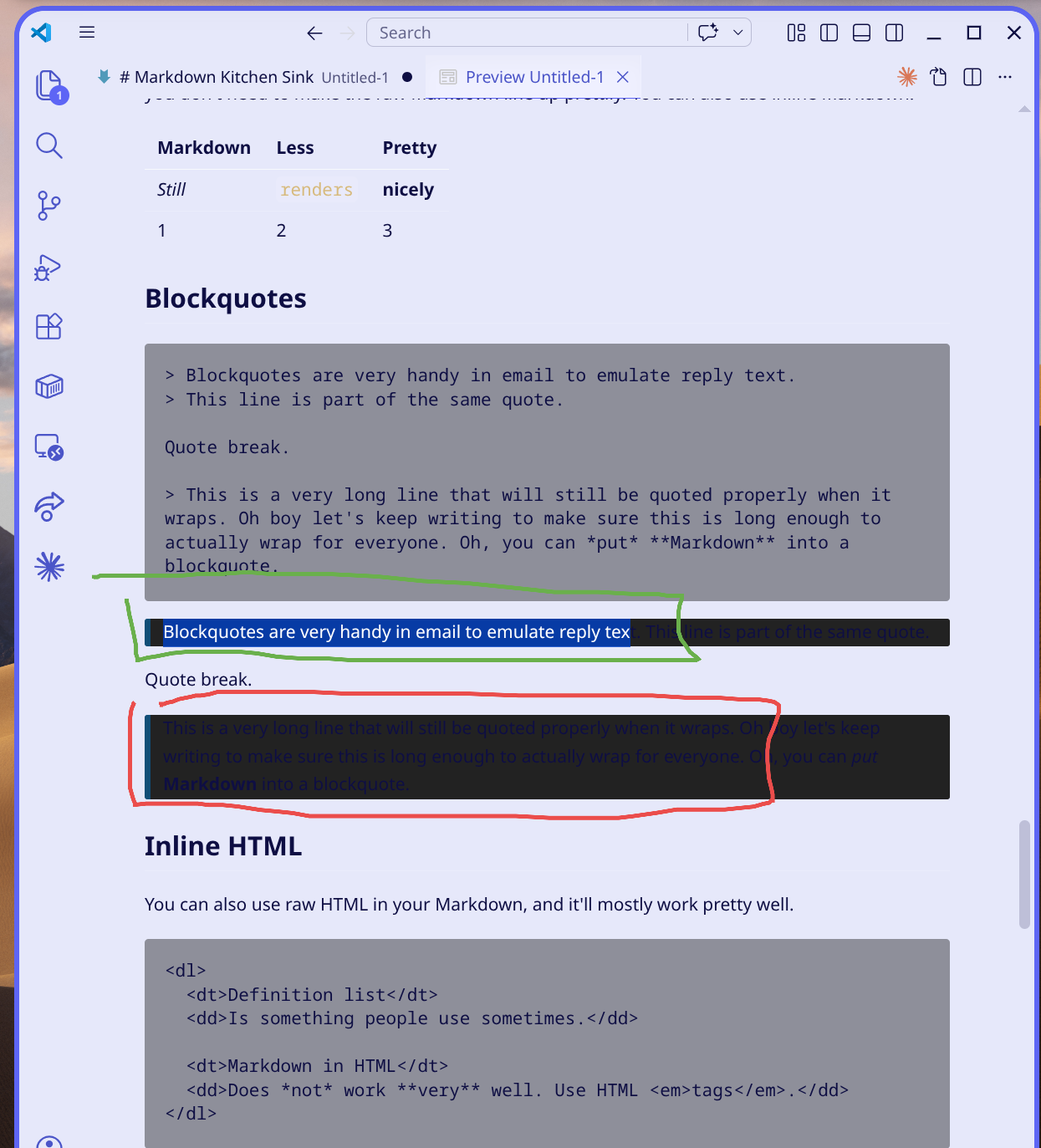
Markdown preview in VSCode/VSCodium is hard to read when the Noctalia palette is in light mode: the theme template hardcodes
"type": "dark", so VSCode uses dark-theme fallbacks for UI elements the theme doesn't explicitly color (including blockquotes and inline code backgrounds). The result is dark-on-dark or low-contrast text inside blockquote / code-block regions even when the rest of the editor is on a light surface.This PR makes the VSCode template honor the current Noctalia mode and explicitly colors the markdown-preview surfaces from the palette.
Type of Change
Related Issue
Changes
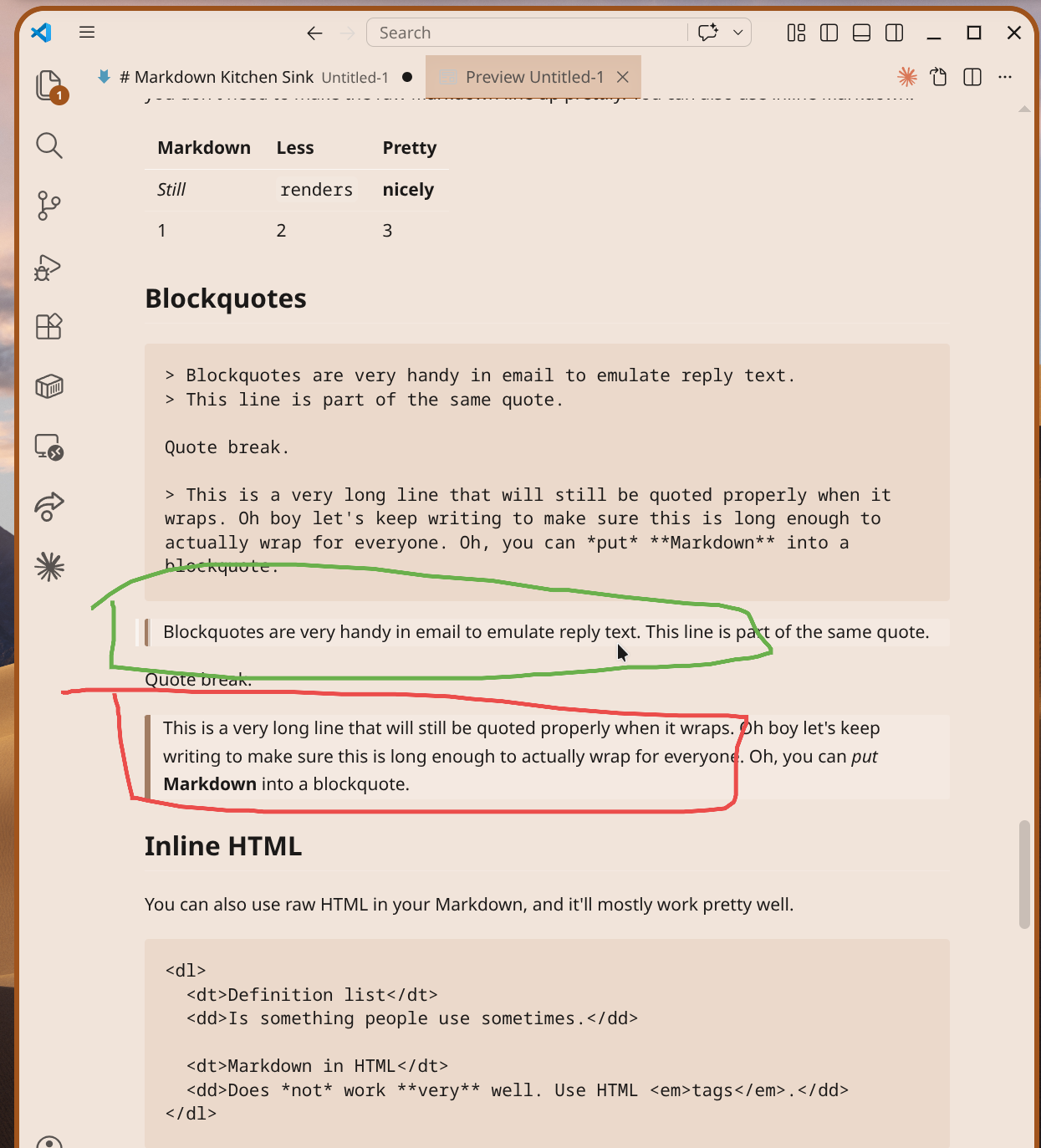
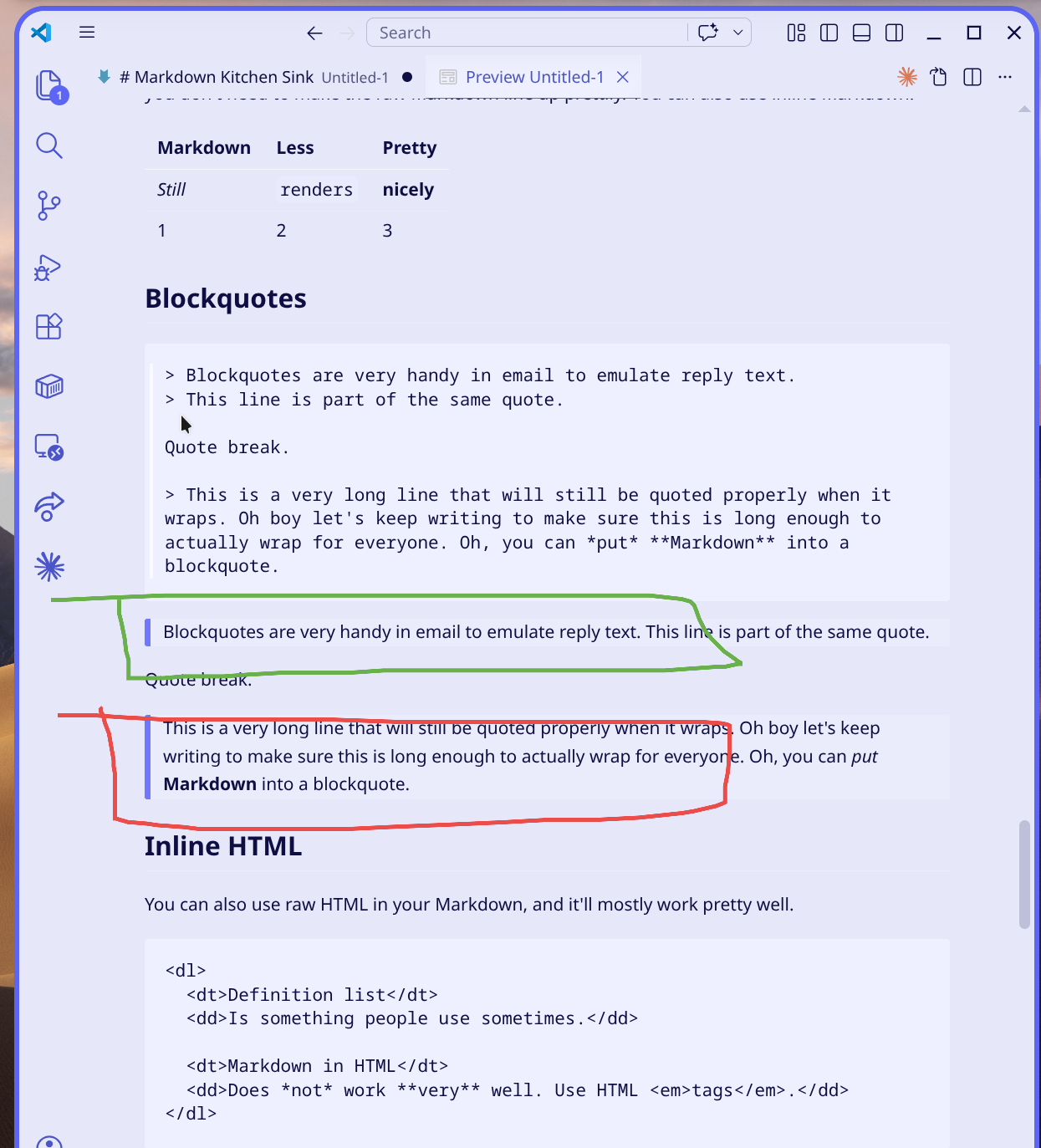
Assets/Templates/code.json:"type": "dark"→"type": "{{mode}}"— the template renderer already supports{{mode}}(resolved to"dark"/"light"viadefault_mode, seeScripts/python/src/theming/lib/renderer.py), so VSCode now picks the correct light/dark defaults.textBlockQuote.background→surface_container_lowtextBlockQuote.border→outlinetextCodeBlock.background→surface_containertextPreformat.foreground→on_surfaceTesting
Verified locally by applying the equivalent patch via a user template post-hook against both a wallpaper-derived light palette and the default Noctalia light scheme, then reloading the VSCode window and opening a markdown preview.
Screenshots / Videos
Annotated
Markdown Kitchen Sinkpreview — green highlights inline blockquote, red highlights a long blockquote. All screenshots are light mode; dark mode is unchanged.Before — wallpaper-derived light palette:
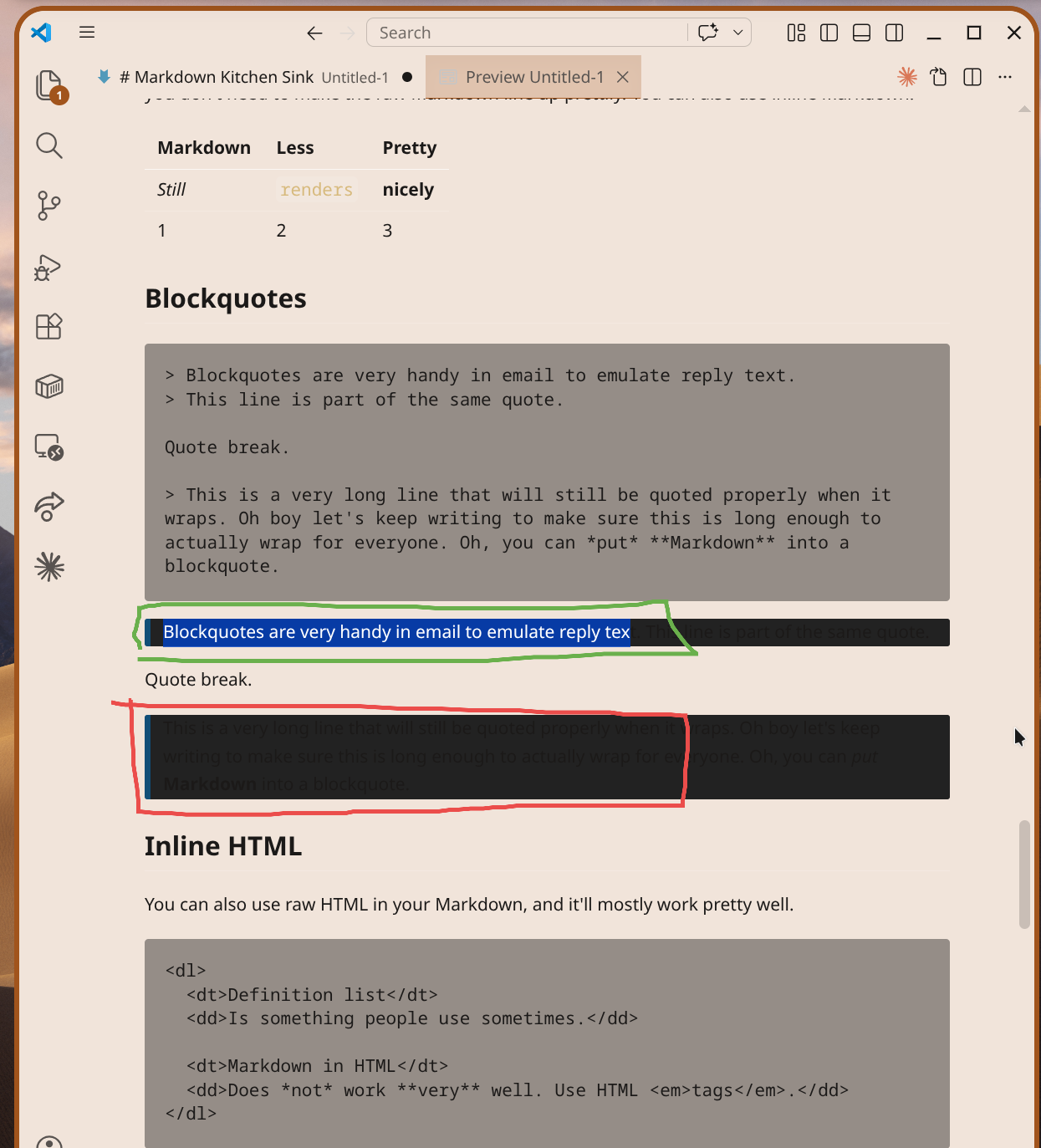
Before — default Noctalia light scheme:
After — wallpaper-derived light palette:
After — default Noctalia light scheme:
Checklist
Additional Notes
Dark mode is unchanged (since
{{mode}}resolves to"dark"there). Only the four new color keys and thetypefield differ; no token colors or other UI surfaces are touched.