Language / Dil: 🇹🇷 Türkçe | 🇬🇧 English
https://drive.google.com/file/d/1NIlF4qbY1sI4bFeWArmao9pla2ZPQsli/view?usp=sharing
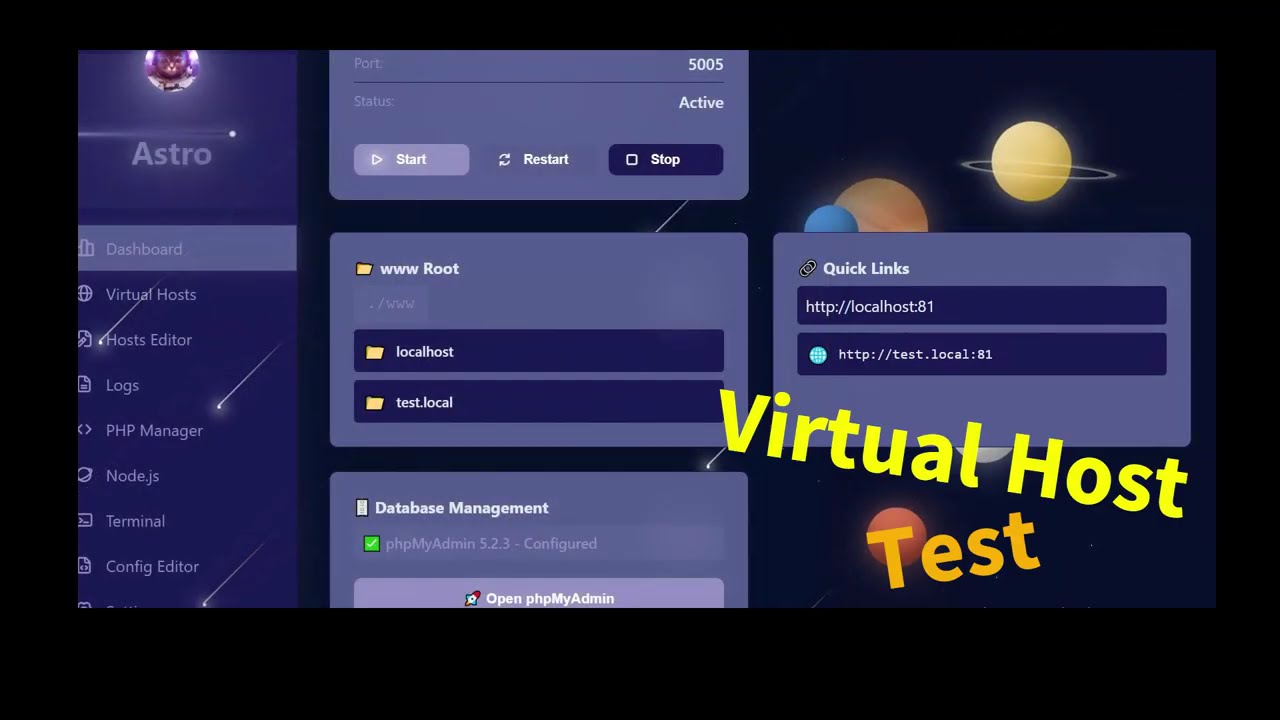
This is the portable version of the AstroWAMP Node.js application. It runs as a single .exe file with Node.js runtime included.
With AstroWAMP, you can run the following services on a single platform:
- ⚡ Apache Web Server - Powerful and flexible web server
- 🐘 PHP - The most popular server-side programming language
- 🗄️ MySQL Database - Reliable and fast database management
- 🟢 Node.js - Modern JavaScript runtime environment
- 📊 phpMyAdmin - Easy-to-use database management interface
This is the portable version of the AstroWAMP Node.js application. It runs as a single .exe file with Node.js runtime included.


portable/
├── AstroWAMP-NodeApp.exe    # Main executable (Node.js runtime included)
├── data/                     # Data storage (auto-created)
├── uploads/                  # File uploads (auto-created)
└── logs/                     # Application logs (auto-created)
- Double-click the
AstroWAMP-NodeApp.exefile - Open
http://localhost:5000in your browser - Start using it!
Use an environment variable to change the port number:
set PORT=3000
AstroWAMP-NodeApp.exe
Or via command line:
AstroWAMP-NodeApp.exe --port 3000Copy the entire portable/ folder anywhere you want:
- Different drive (C:, D:, E:, etc.)
- USB drive
- Network drive
- Cloud storage folder
The executable always runs within its containing folder.
Once the application is running, you can access these endpoints:
- Home Page:
http://localhost:5000/ - Status API:
http://localhost:5000/api/status - System Info:
http://localhost:5000/api/info - Portable Paths:
http://localhost:5000/api/paths - Health Check:
http://localhost:5000/api/health
✅ Single File: Node.js runtime included, no additional installation required ✅ Portable: Runs from any location ✅ Auto Folders: Automatically creates required folders ✅ Logging: All operations are automatically logged ✅ Modern UI: Interface compatible with AstroWAMP design ✅ RESTful API: Full-featured API endpoints
You can save any data to the data/ folder:
// Example usage in code
const filePath = path.join(DATA_DIR, 'mydata.json');
fs.writeFileSync(filePath, JSON.stringify(data));The uploads/ folder is used for file uploads.
All operations are logged in logs/app-YYYY-MM-DD.log format.
- Port is only accessible from localhost by default
- You may need to configure firewall settings for external access
- Implement additional security measures in production environments
# Use a different port
set PORT=3001
AstroWAMP-NodeApp.exe- Ensure you have write permissions
- Run as administrator (if necessary)
- Check Windows Defender / Antivirus
- Add the .exe file to the "allow" list
- OS: Windows 7/8/10/11 (x64)
- RAM: At least 256 MB
- Disk: At least 50 MB free space
- Network: Optional (not required for localhost only)
When a new version is released:
- Backup existing
data/,uploads/,logs/folders - Replace the
AstroWAMP-NodeApp.exefile with the new version - Run the executable
Your data will be preserved!
Apache (If httpd won't start, don't forget to install) -> VC_redist.x64.exe For the main project: AstroWAMP GitHub
MIT License - You can freely use, modify, and distribute.
Made with ❤️ for AstroWAMP | Portable Development Environment