A Redmine plugin that displays the contents of README.md at the top of the Repository tab.
- Redmine 2.x or later (tested up to 5.x)
- Rails 6.x or later
cd $REDMINE_ROOT/plugins
git clone https://github.com/simeji/readme_at_repositories.git
bundle exec rake redmine:plugins:migrate RAILS_ENV=production
Then restart your Redmine server.
Go to Settings → Modules and enable Readme at repository.
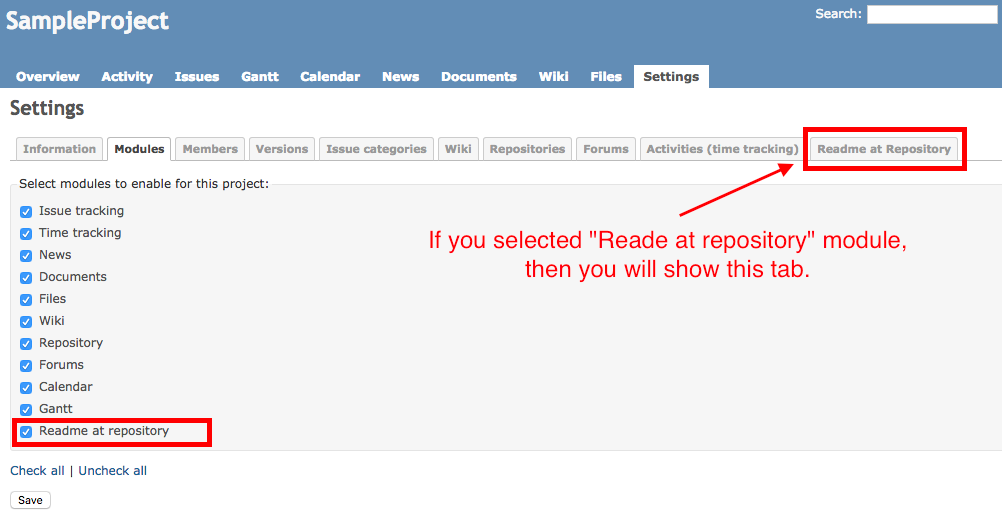
Open the Repository tab. The contents of README.md are displayed at the top of the page — in any directory.
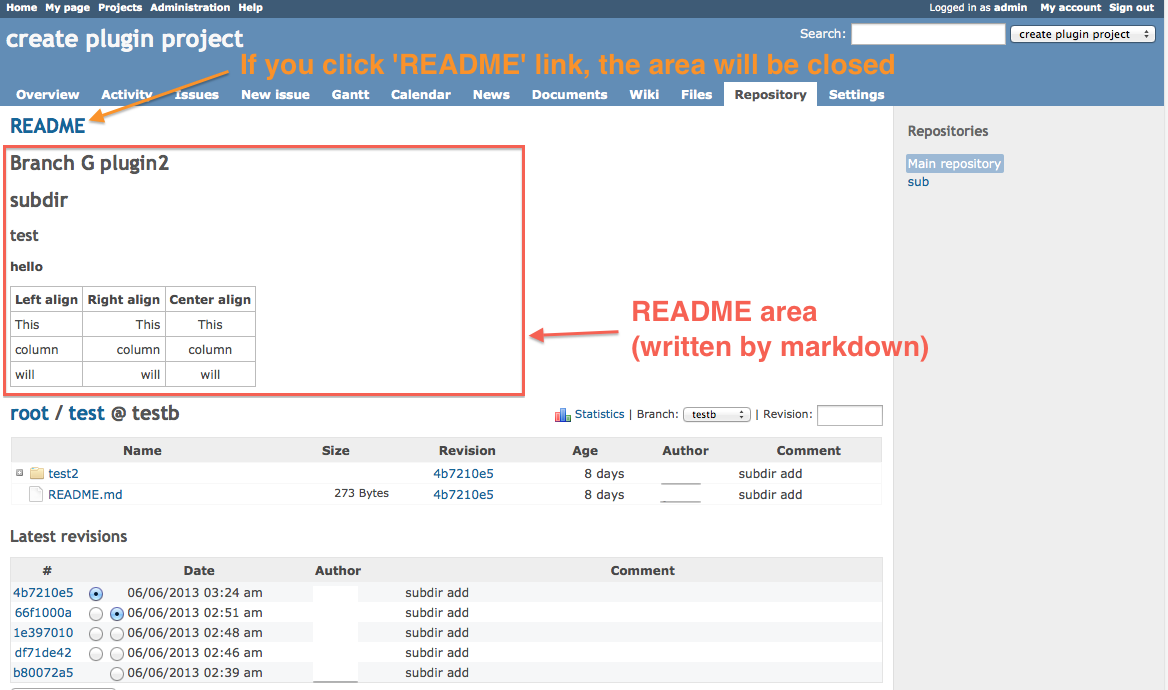
.mdfiles are rendered as Markdown..txtand.rdocare also supported (displayed as plain text).
You can change where the README appears via Settings → Readme at repository within the project.
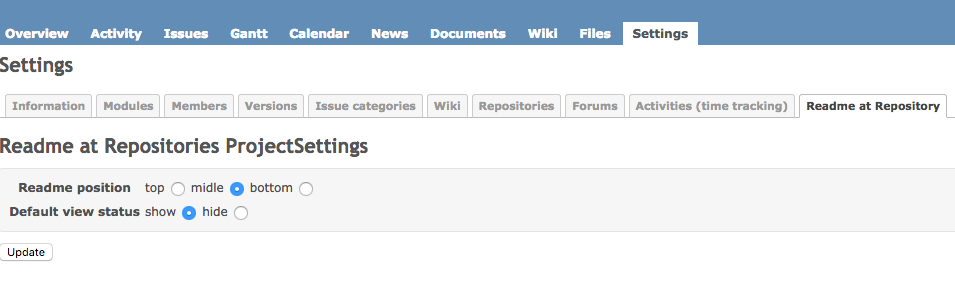
To control who can change this setting, go to Administration → Roles and permissions.

MIT — see LICENSE for details.